

Bigme E-Reader Store
Bigme B13 PRO 13.3" 60 FPS Color ePaper Monitor With USB-C One-Cable
Bigme B13 PRO 13.3" 60 FPS Color ePaper Monitor With USB-C One-Cable
Couldn't load pickup availability

From 30 FPS to 60 FPS — Smoother color ePaper for everyday work.
B13 PRO raises the refresh rate to 60 FPS, so scrolling through long web pages, switching browser tabs, and moving the cursor all feel noticeably more responsive than earlier ePaper monitors. The higher frame rate reduces perceived lag while keeping the paper-like display comfortable for extended reading. Whether you're reviewing PDFs, browsing research, writing documents, or keeping reference material open beside your main screen, B13 PRO delivers a calmer, smoother second-screen experience.

Crisp 3K resolution on Kaleido 3 color ePaper.
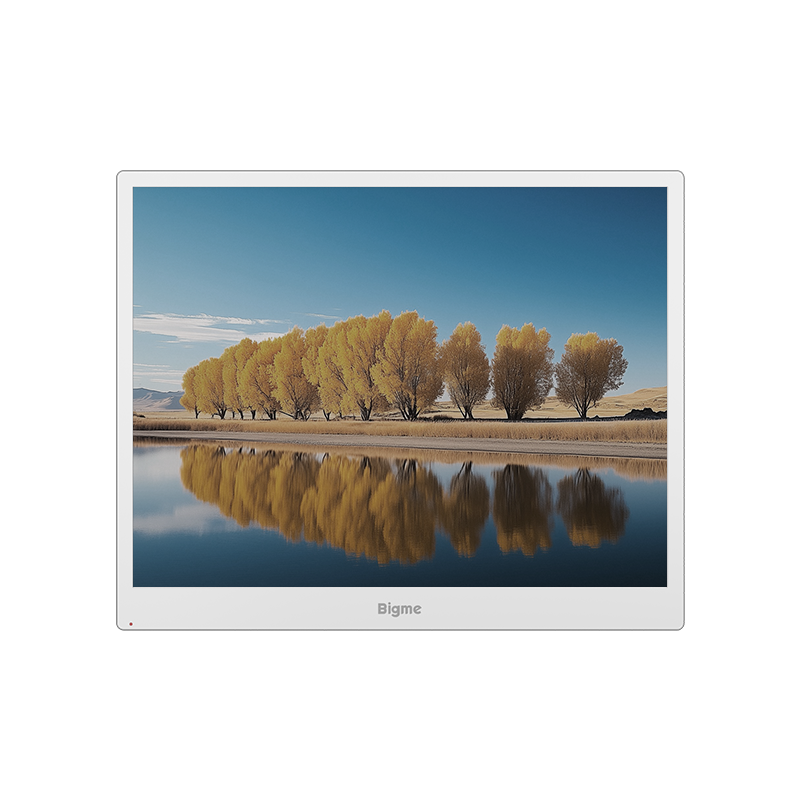
The B13 PRO features a 13.3-inch Kaleido 3 color ePaper display with a 3200×2400 resolution. Black-and-white text and fine lines appear sharp at 300 PPI, while color charts, diagrams, and images stay clear at 150 PPI. The 4:3 aspect ratio also creates a print-like reading canvas that suits PDFs, research papers, and long-form web content.

Simplify your desk. One cable does it all.
B13 PRO connects to your laptop with a single USB-C cable for both video and power. No separate power adapter, no extra cable — just one line for a cleaner desk and easier travel.

Touch, tap, and scroll — right on the screen.
B13 PRO features a touch-enabled 13.3″ color ePaper display, so you can tap, swipe, and scroll directly on the screen. You can navigate documents, web pages, and apps with your fingers — no mouse required. It’s a more intuitive way to read, review, and interact with your content, especially when you’re working with long PDFs, spreadsheets, or reference material.

One calm screen for reading, browsing, coding, and tracking markets.
B13 PRO works best as a paper-like second screen next to your main monitor. Keep long PDFs, ebooks, or research papers open while you work. Browse the web with less backlight glare. Pull up code docs, logs, or terminal output on the side. Run stock watchlists, dashboards, or Excel reports in color without constantly alt-tabbing. The 13.3″ 4:3 Kaleido 3 panel, up to 60 FPS refresh, and USB-C one-cable setup make it a practical companion for text-heavy and reference-heavy work.

Four display modes. One flexible workspace.

Wireless mirroring for a cable-free workflow.
B13 PRO supports AirPlay, Miracast and DLNA, so you can mirror your laptop, phone or tablet screen without connecting a video cable. It works with Windows, macOS, iOS and Android, making it easy to switch between devices throughout the day. Whether you're sharing a presentation, casting a document, or extending your mobile workspace, wireless casting keeps your desk cleaner and your setup more flexible.

Adjustable warm and cool light — read comfortably at any hour.
The B13 PRO features an adjustable front light that lets you shift between cool and warm tones. During the day, use a cooler setting for a crisp, clear view. In the evening, switch to a warmer glow that feels gentler for extended reading sessions. With 36 levels of adjustment, you can fine-tune the lighting to match your environment and preference — without the harsh direct backlight of a traditional display.

A closer look at the ports.
Take a closer look at the B13 PRO connection layout. A full-featured USB-C port handles video, power, and touch over a single cable. A secondary USB-C video input and a mini HDMI port provide flexible options for older laptops, mini PCs, and other devices. A 3.5mm headphone jack offers private listening, while built-in dual speakers deliver quick audio when you need it. Every port is positioned for easy access, helping you keep a tidy desk without sacrificing compatibility.

Specifications at a Glance
-

Specification
Screen: 13.3 inches(Single Screen)
Screen ratio: 4:3
Resolution: 3200 x 2400
PPI: Color :150PPI, B&W:300PPI
Screen type: Color eink screen
Refresh rate: 60FPS
Connection: USB-C, HDMI,Wireless casting
Port: Typc-C , HDMI
Compatible Systems: Windows/Mac/Android/iOS
Speaker: Dual speakers
Device size: 286*231.5*5.6mm(Thinnest part)
Compatible computer size:13-17 inches
Weight:Around 660g